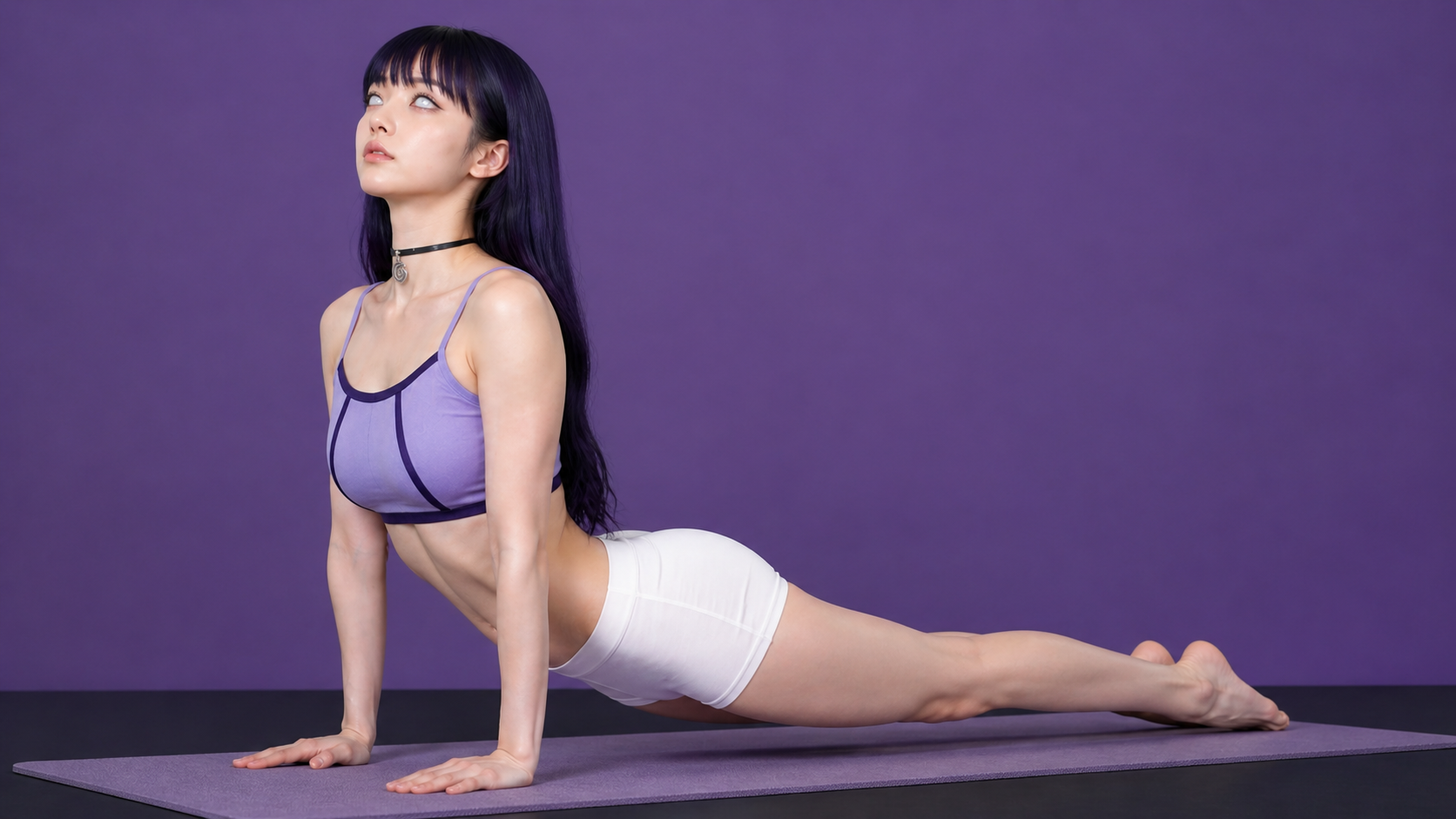

click down to watch the tutorial

Follow the steps
1. Create Poses – Chat GPT image V2, write the following Prompts

Create a 12-panel yoga instruction diagram in a clean 4-column by 3-row grid. Style: black-and-white / soft grayscale instructional poster, off-white background, thin black panel borders, bold uppercase titles, black rounded number badges, simple dotted or curved motion arrows, and short coaching captions.
Use one consistent female yoga model across all panels: athletic build, long wavy hair, fitted sports bra and leggings, barefoot, realistic photo-illustration style, neutral studio background. Show a classic vinyasa flow from Mountain Pose to Downward-Facing Dog. Focus less on overly technical pose detail and more on the feeling of a smooth flowing sequence, with clear movement, breath, and transitions from one step to the next.
Each panel should clearly show the motion step and how it transitions into the next pose. Use arrows to show direction of movement. Keep the captions short and simple, describing the action, breath, or flow cue in a natural way.
Make all 12 panels exactly the same size, evenly aligned, highly readable, and visually consistent. No color. No extra text.
make the model in 45 degrees facing forward
2. Tell Chat GPT to only take the first pose and give you the image.

Remove the first pose and send me that removed first pose image
(Prompts for character design) Create a passport photo of young Sakura Haruno. She wears her signature-colored strapped crop top.
3. Insert your character image + this single pose image and type in the prompt below to get your first starting frame.


Make the first image female following the same pose as the second image. Accurate and exact. full body portrait in 9:16 ratio. (you can insert your outfit or atmosphere description however you like.)

4. Go to Seedance 2.0 (I use TOPVIEW for the generation)
and use ‘Omni Reference Mode’ (mode is very important!). Insert the full body model, then insert the pose images. And type in the prompt below. When you upload the image files and try to apply them in your prompts, you have to insert ‘@’ then type in ‘image#’.

Scene: Hand-held camera movement in one continuous single shot with no cuts, YouTube-style video showing a woman performing a complete yoga flow in one single take.
Character: Use (‘@IMAGE1’ female’s photo) with complete white eyes, young and cute, purple hair, pale white skin, yoga fit body wearing very low rise white leggings, as the character we’re following in the scene.
Character Motion: Use (‘@IMAGE2’ poses) to follow the motion and instructions exactly to complete her flow.
Place: Same as the ‘@IMAGE1’.
The scene starts at ‘@IMAGE1’.
Direction: The woman stands in a peaceful yoga studio. The hand-held camera subtly pushes in on her as she begins her flow. It captures the moment in tight composition as she moves from mountain pose to upward salute.
The camera begins to pull back out and captures back angle as she transitions from upward salute to forward fold and stays focused on her body as she transitions from forward fold into a half lift.
The camera begins to move right to a side profile as she plants her palms and steps back into the plank pose. The camera drops lower and pushes in towards her face for a focused close-up as she moves from lower chaturanga to upward-facing dog.
The camera again pulls out, showing her full body from side to back angle as she transitions to the downward-facing dog position. Finally, slowly stands up and finishes the routine with the first pose mountain pose then holds for a deep inhale and exhale in that position.
then speaks to the camera in relaxed natural cool vibe, “White Eyes Yoga time, baby.”
Overall Tone: Her movements are all natural and fluid, controlled and directed, strong with natural body movements and subtle readjustments as she gets her balance.
SoundFx: peaceful ambient hum as we hear her inhale and exhale in a rhythmic fashion with each passing pose. No music.
5. Final result should look like this
Hope it helped!